Using DLSS for Blender Cycles Final Renders: Custom Build vs. Viewport Capture & OIDN
Official Blender 5.3 restricts NVIDIA DLSS Ray Reconstruction to the interactive viewport. Here is how integrating DLSS directly into Cycles' final render pipeline unlocks native F12 animation rendering, 2.6× low-sample speedups over OIDN, dual-instance temporal Alpha denoising, VDB volume velocity guides, and single-pass 16/32-bit Multilayer OpenEXR.
Can you use NVIDIA DLSS Ray Reconstruction for final F12 stills and animations in Blender 5.3? Out of the box, no—official Blender 5.3 only enables DLSS in the interactive Cycles viewport, while final F12 / Render Animation renders still default to OpenImageDenoise (OIDN) or the standard OptiX denoiser.
Instead of building a Python add-on that locks and captures the viewport, Blender Final DLSS Render integrates DLSS Ray Reconstruction (and optional DLSS 5 Neural Rendering) directly inside Cycles' native final render step:
- 2.6× Faster Low-Sample Animations: On an NVIDIA RTX 4080 (16 GB), 1 sample + Cycles DLSS RR renders the Blender 5.2 Splash animation at 3.04 s/frame versus 8.0 s/frame for 16 samples + OIDN, while eliminating 1-sample OIDN temporal boiling.
- Full VFX Compositing Pipeline: Writes denoised
Combinedbeauty alongside raw linearDepth,Normal,Vector,AOVs, and exactCryptomattebit-patterns into a single 16/32-bit Multilayer OpenEXR, plus a second synchronized Ray Reconstruction pass for Alpha (cutting transparent smoke Alpha flicker from0.080 → 0.006). - Quick Navigation: Jump to RTX 4080 Benchmark Matrix ↓ · Explore the Blender Final DLSS Render Project →
Official Viewport DLSS vs. Custom Cycles Build
In official Blender 5.3, NVIDIA DLSS Ray Reconstruction is wired exclusively into the interactive viewport denoiser (Render Properties > Sampling > Viewport > Denoise). When you press F12 (Render Image) or Ctrl+F12 (Render Animation), Cycles switches to its offline final-render session where the denoiser dropdown only exposes OpenImageDenoise and OptiX.
Because Blender's Python API (bpy) sits outside the compiled Cycles path-tracing engine, community tools have historically tried to bridge this gap with viewport-capture Python add-ons (locking the 3D viewport to the active camera, stepping frame-by-frame, and saving the viewport framebuffer) or 8-bit post-process compositor wrappers. While convenient for quick previews, viewport-capture add-ons hit fundamental architectural walls in production:
| Pipeline Capability | Official Blender 5.3 | Viewport-Capture / Post-Process Add-ons | Custom Cycles Engine Build |
|---|---|---|---|
| Execution Layer | Cycles Viewport only (F12 uses OIDN / OptiX) | Python bpy viewport lock or external 8-bit SDR wrapper | Native Cycles F12 / Render Animation Pipeline |
| Scene Export Overhead | 0 s (Native memory) | 0 s for viewport capture; 100+ s if exporting heavy scenes externally | 0 s (Runs directly inside Blender 5.3's native Cycles session) |
| 16/32-Bit Multilayer OpenEXR & Cryptomatte | Supported with OIDN/OptiX only | Requires rendering a separate second pass and stitching files | Single-pass 16/32-bit linear Multilayer EXR with intact Cryptomatte |
| Transparent Background & Temporal Alpha RR | Raw noisy Alpha or clamped coverage | Viewport DLSS forces Alpha = 1.0 or clamps semi-transparent smoke | Coverage preservation (0.050 → 0.022 error) + 2nd RR instance for Alpha (0.08 → 0.006 flicker) |
| Volumetric Motion & OpenVDB Velocity Guides | Static background vectors behind volumes | No engine-level access to volume shading or VDB velocity grids | Native volume depth, normals, motion & VDB velocity fields (−17% error) |
| 4K / Heavy Scene VRAM Tiling | Native OIDN tiling | Viewport size bound to screen or per-tile RR seam resets | Tiled path tracing → System RAM full-frame merge → Seam-free Full-Frame RR (1.9× faster) |
| Temporal History Across Cuts & Regions | Viewport history resets frequently | Often resets every frame or smears across camera cuts | Persistent frame history, automatic camera-cut reset & fixed Render Region history |
Why Integrating Directly Into Cycles Was Necessary
To make DLSS Ray Reconstruction behave like a first-class production denoiser inside F12 and Render Animation, four core capabilities had to be built directly into the Cycles final render pipeline:
- Native-Resolution Final Evaluation (DLAA Mode Without Viewport Jitter): In interactive viewports, DLSS combines upscaling with sub-pixel camera jitter. For final offline frames, this build evaluates native-resolution Ray Reconstruction (100% input/output resolution)—meaning a 4K output render is true native 4K with stable pixel filtering and separated diffuse/specular guides.
- Session-Persistent Temporal History & Preceding Warm-Up: Instead of resetting neural history on every frame, temporal state persists cleanly across the animation sequence and evaluates real preceding scene times (
Warm-Up Frames = 8by default) before Frame 1 is written, so the very first delivered frame already has converged history. - Dual-Instance Ray Reconstruction & Volume Velocity Guides: A second synchronized Ray Reconstruction pass denoises the transparent Alpha channel using matching motion vectors and history resets, while Cycles' volume pass projects OpenVDB fluid velocity grids into the motion guide buffers.
- Tiled Path Tracing With Full-Frame RAM Merge: When
Tiled Path Tracingis enabled for VRAM-heavy scenes, Cycles traces individual tiles to keep GPU memory low, merges the tiles in system RAM, and uploads only the guide channels needed for a single whole-frame Ray Reconstruction pass—preventing tile boundary seams and keeping temporal history intact.
RTX 4080 Animation Benchmarks
In Blender 5.3 Cycles on an NVIDIA RTX 4080 (16 GB, OptiX backend, Windows x64), replacing frame-by-frame OpenImageDenoise (OIDN) with native final-render DLSS Ray Reconstruction either cuts low-sample animation render times by 2.6× (1 sample DLSS vs. 16 samples OIDN) or delivers substantially cleaner temporal stability and specular reflection detail at identical sample counts (1.91 s vs. 1.96 s at 32 samples). You do not need a flagship RTX 5090 to see these gains—higher-tier GPUs scale even further.
| Benchmark Scene | Test Resolution & Sequence | Baseline (Cycles + OIDN / Untiled) | Custom Build (Cycles + DLSS RR / Tiled) | Measured Speedup & Quality Outcome |
|---|---|---|---|---|
| Blender 5.2 Splash (Fur & Creature) | 1920 × 1000 · 99-frame animation average | OIDN · 16 spp → 8.00 s / frame | DLSS RR · 1 spp → 3.04 s / frame | 2.6× faster (62% time saved; matches 16-spp OIDN macro clarity) |
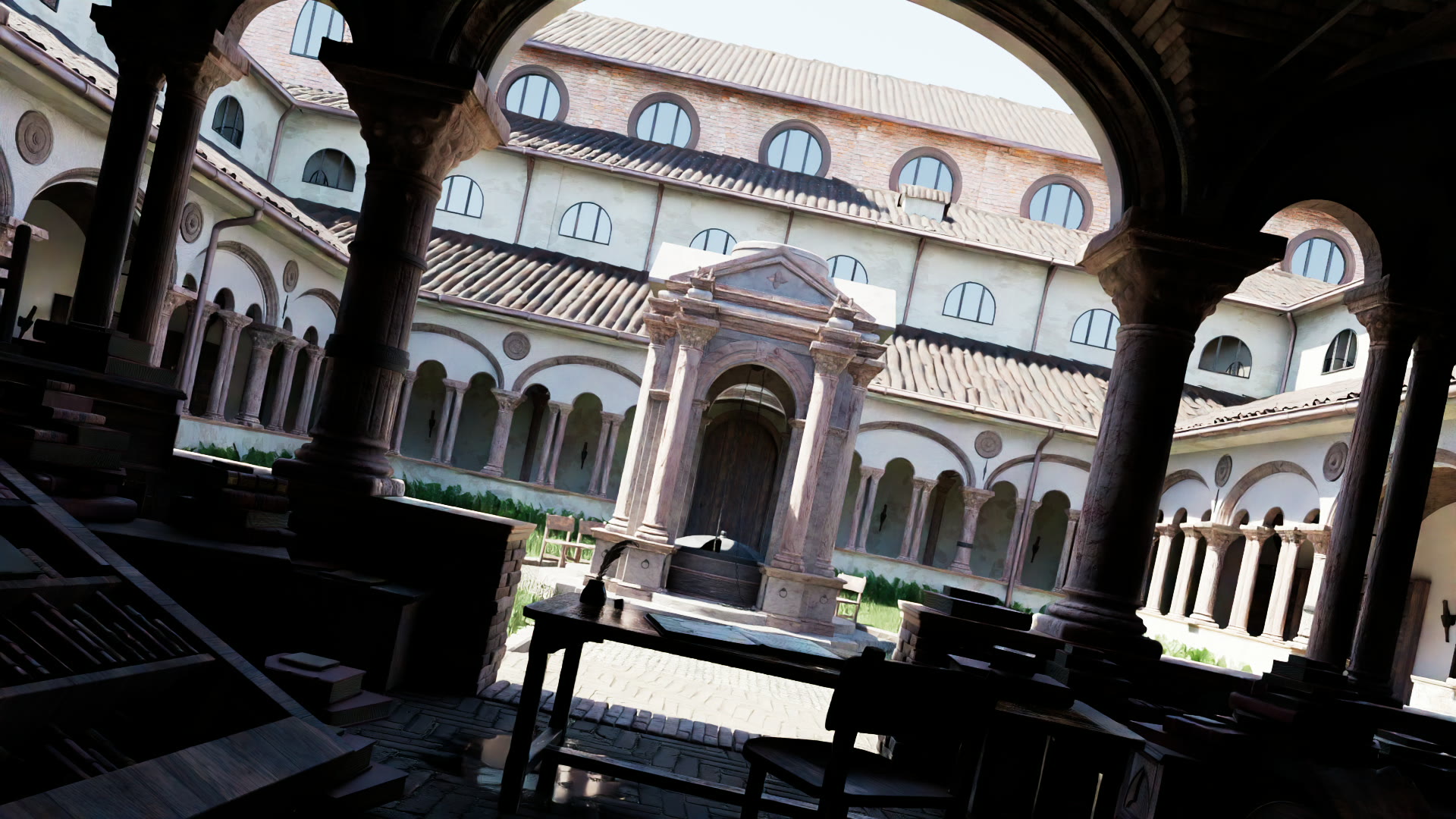
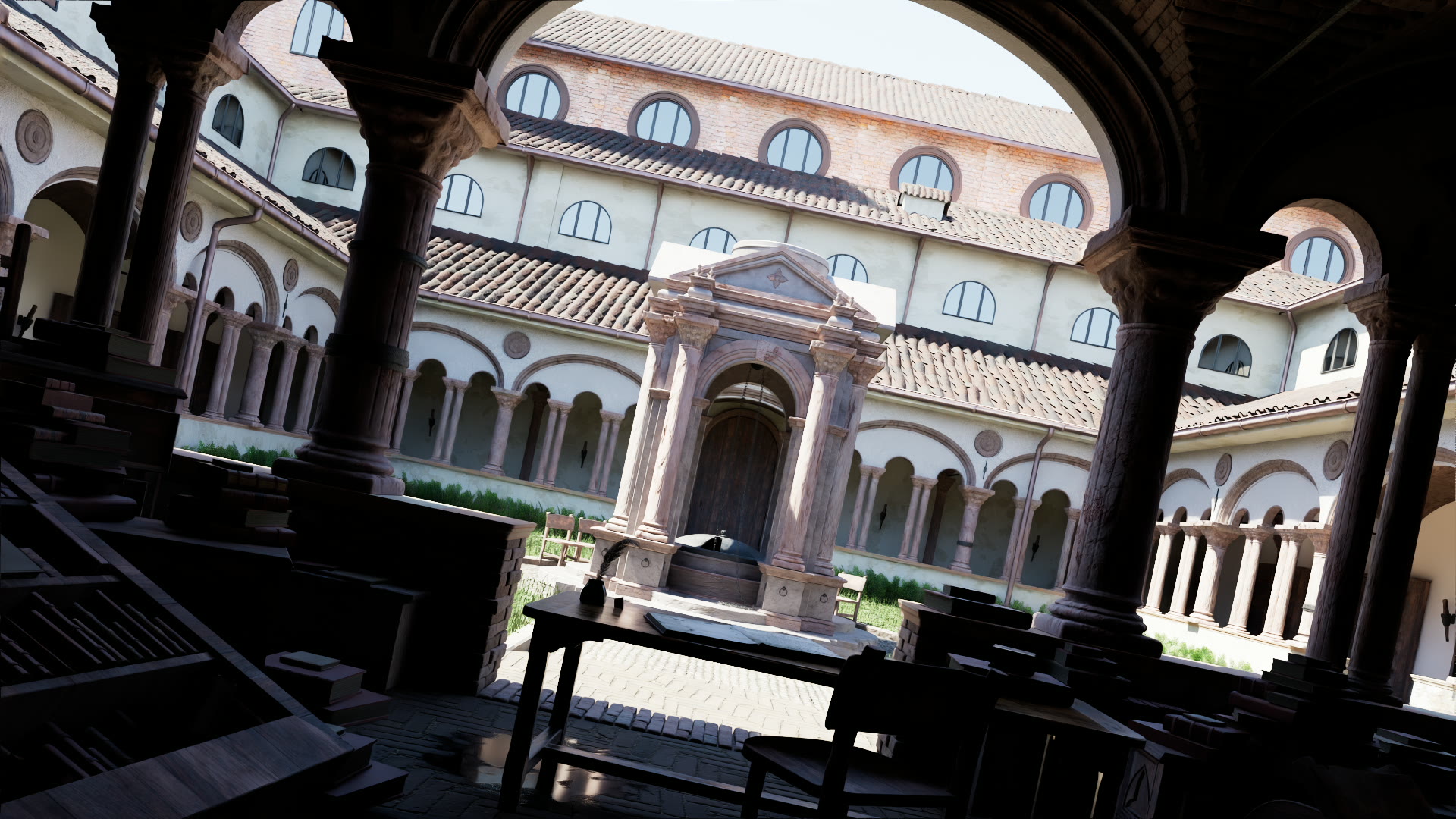
| Lone Monk (Monastery Courtyard) | 1920 × 1080 · 100-frame camera move | OIDN · 1 spp (severe boiling) / 16 spp → 8.00 s / frame | DLSS RR · 1 spp → 3.00 s / frame | 2.6× faster than 16-spp OIDN; eliminates 1-spp OIDN blotchy flicker |
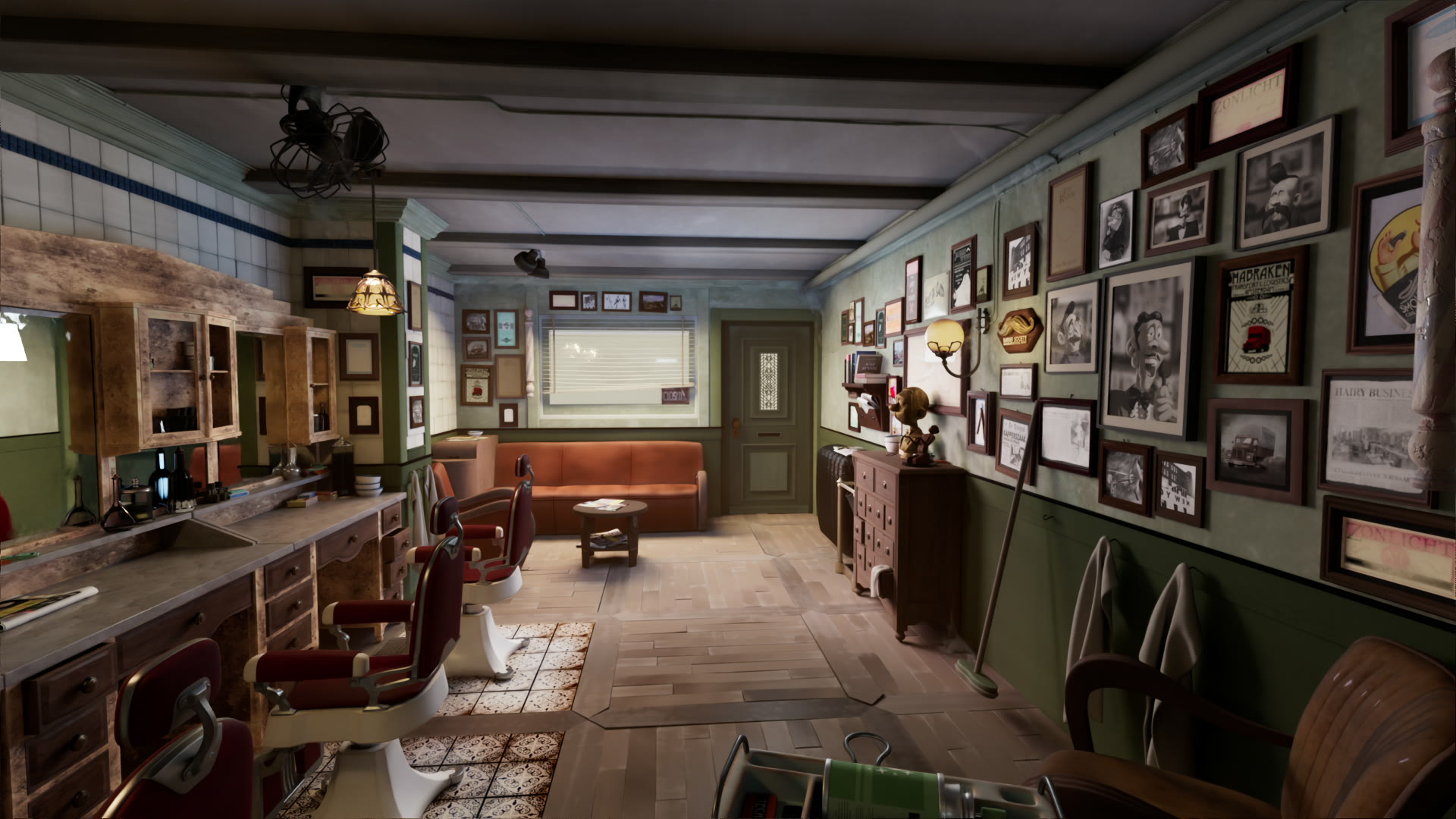
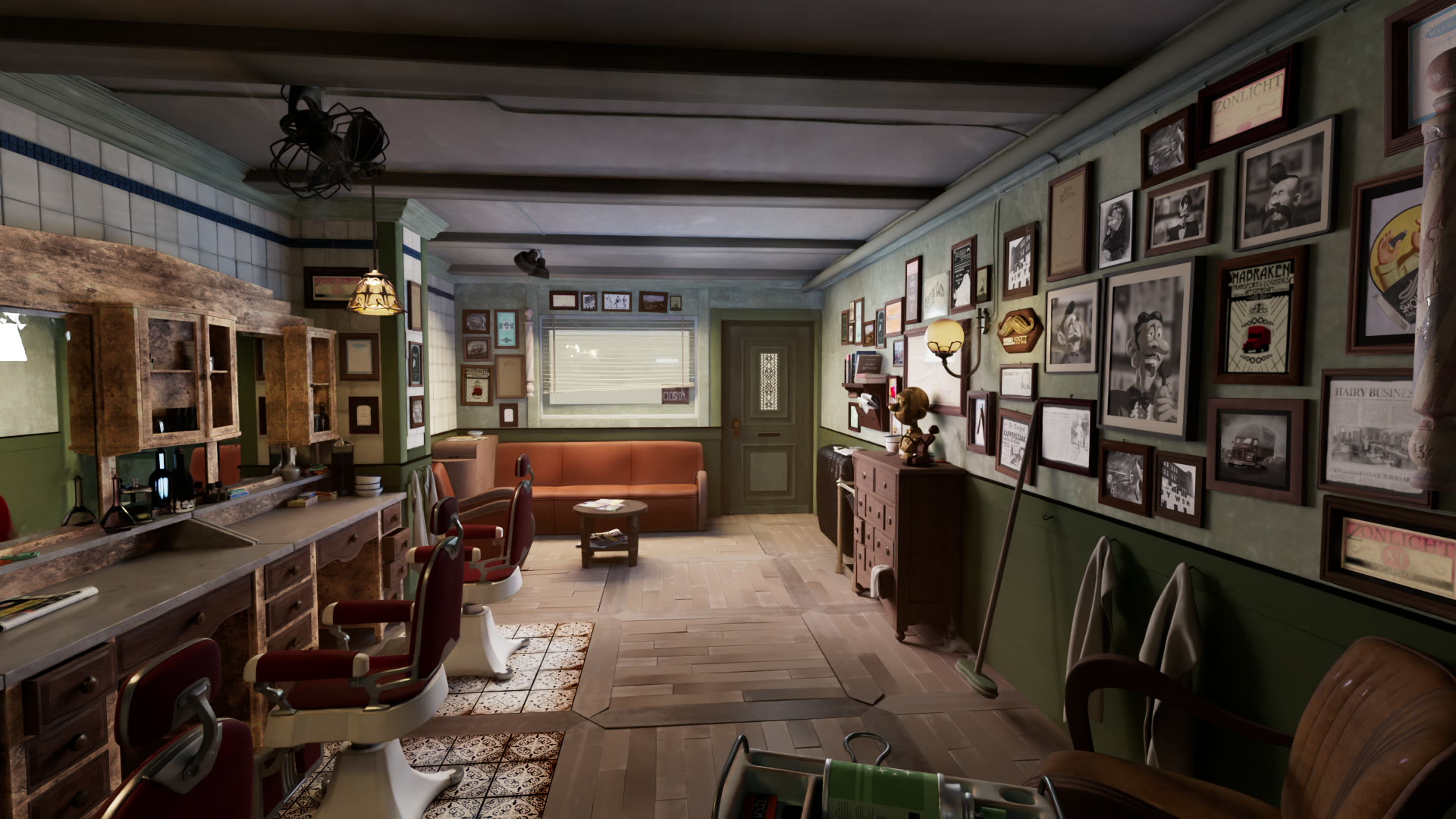
| Agent 327 Barbershop (Interior GI) | 1920 × 1080 · 100-frame interior loop | OIDN · 32 spp → 1.91 s / frame | DLSS RR · 32 spp → 1.96 s / frame | Identical render time (+0.05 s), sharper mirror reflections & shadow contact edges |
| City_1 (Heavy Production Scene) | High-density urban scene · VRAM-bound | DLSS RR · Untiled → 23.10 s / frame (VRAM thrashing) | DLSS RR · Tiled RAM Merge → 12.30 s / frame | 1.9× faster when VRAM is short; zero tile seams or history resets |
Test 01: Same 1 Sample Per Frame — Why Spatial OIDN Boils While Temporal DLSS Holds Steady
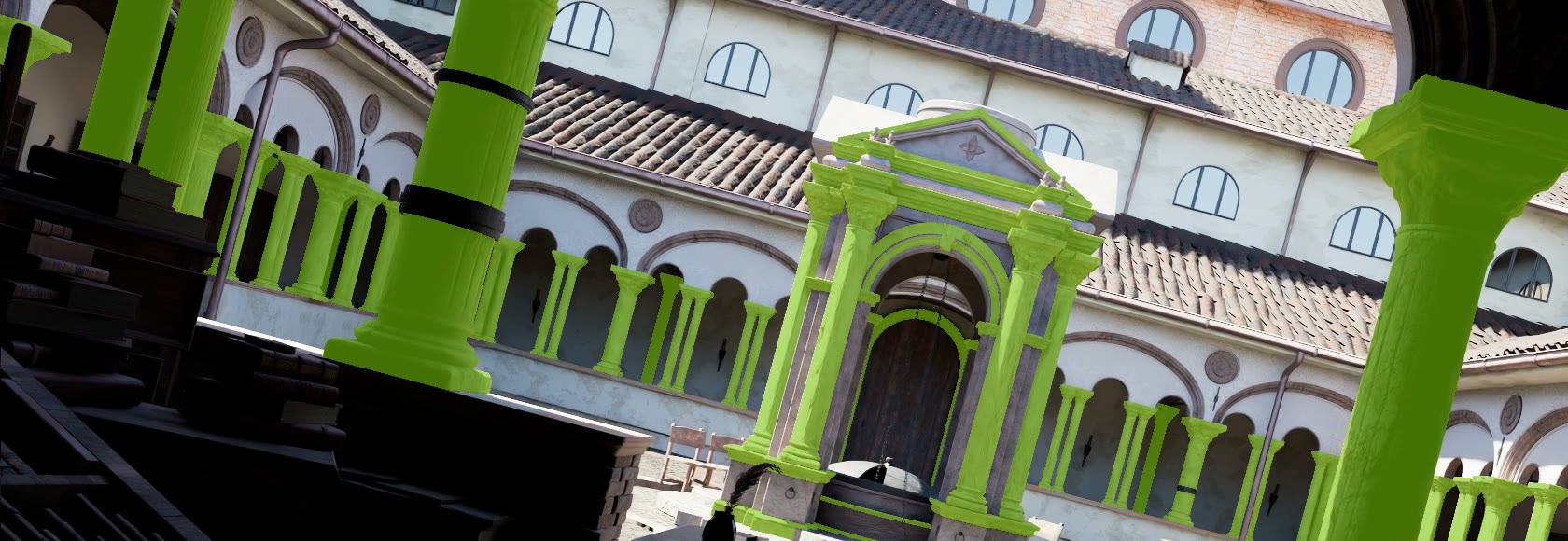
At 1 sample per pixel (1 spp), a spatial denoiser like OpenImageDenoise evaluates each animation frame in isolation. Because path-traced Monte Carlo noise changes randomly on every frame, OIDN hallucinates different low-frequency blotches from frame to frame, producing severe "boiling" across stone arches, shadowed walls, and indirect bounce lighting.
By feeding Cycles' diffuse and specular albedo, world-space normals, roughness, depth, and motion vectors into NVIDIA's temporal Ray Reconstruction network across consecutive frames, our build tracks the same 3D surface points over time—producing a temporally coherent animation even at 1 sample per frame:
Test 02: Matched Render Time (32 Samples, 1.91 s vs. 1.96 s) in Complex Interior Global Illumination
A common misconception is that DLSS is only useful for 1-sample draft previews. When both OIDN and Cycles DLSS Ray Reconstruction are given the exact same 32-sample budget on the Agent 327 Barbershop interior benchmark (1920 × 1080, OptiX), per-frame render time is virtually identical (1.91 s/frame for OIDN vs. 1.96 s/frame for DLSS RR—a 50-millisecond difference).
However, because DLSS Ray Reconstruction accumulates temporal ray history across the camera move and preserves diffuse/specular separation, it retains wood-grain micro-contrast, mirror reflections, thin chair contours, and dark indirect shadow corners that spatial OIDN softens or swims across frames:
Test 03: Cutting Animation Render Budgets (16-Sample OIDN at 8.0 s vs. 1-Sample DLSS at 3.04 s)
When turnaround time is critical for look-dev approvals, client previz, or indie short-film production, dropping a sequence from 16 samples with OIDN (8.0 s/frame) down to 1 sample with Cycles DLSS Ray Reconstruction (3.04 s/frame) cuts wall-clock render time by 2.6× (reducing a 1,000-frame render from 2 hours 13 minutes down to 50 minutes on a single RTX 4080):


Temporal History, Warm-Up & Camera Cuts
In Cycles DLSS final animation rendering, temporal stability depends on how the neural network's internal history buffer is initialized on Frame 1, maintained across moving objects, and reset when the camera cuts to a new shot.
How Preceding-Time Warm-Up (Warm-Up Frames = 8) Prevents Frame-1 Pop
If a temporal denoiser starts cold on Frame 1 of an animation, the first 4 to 8 frames exhibit higher residual noise or a visible "convergence pop" while the temporal history buffer fills up. External scripts that try to fake warm-up by feeding the same static Frame 1 image into DLSS multiple times fail whenever the camera or objects are already in motion at Frame 1.
Our build evaluates real preceding scene timestamps prior to the first output frame (for example, frames -7 through 0 before rendering Frame 1, configurable via Warm-Up Frames, default 8, range 0–64):
- Each warm-up step evaluates animated geometry, camera transforms, and volume caches at the actual preceding timestamp and advances the DLSS Ray Reconstruction history.
- Warm-up frames are never written to disk and only run once at the start of a sequence (or after an explicit camera-cut history reset), so Frame 2 through Frame
Nrender at full steady-state speed.
Automatic Camera-Cut Detection and Render Region History
Official Blender's viewport DLSS implementation suffers from three temporal history issues during production work:
- Camera Marker Cuts: When a timeline binds multiple cameras to timeline markers, carrying old history across a hard cut causes a 1–2 frame ghosting smear of the previous shot. Our build detects active camera switches and automatically resets temporal history on the exact cut frame.
- Fixed Render Regions (
Ctrl+B): In official builds, rendering a cropped region (Render Region) fails to preserve continuous DLSS temporal history across animation frames. In this build, fixed Render Regions maintain continuous temporal history across the sequence (resetting only if the region bounds are moved or resized). - Glossy Floor Flicker Under Camera Motion: Improved specular guide handling reduced camera-motion flicker on near-field glossy floors by 28%.
Multilayer OpenEXR, Cryptomatte & Alpha RR
For VFX studios and technical artists, a denoiser is unusable if it traps the image in an 8-bit PNG or destroys auxiliary compositing passes. Because DLSS runs inside Cycles' native final output pipeline, 16-bit half-float and 32-bit full-float scene-linear OpenEXR, Multilayer OpenEXR, and Blender Compositor File Output nodes work natively in a single render pass.
How Each Render Pass Is Handled in Multilayer OpenEXR
| Render Pass Category | Passes Included | Processing Rule in Cycles DLSS Build | Compositing Purpose (Nuke / Blender / Resolve) |
|---|---|---|---|
| Primary Beauty | Combined (RGBA) | DLSS Ray Reconstruction (plus optional DLSS 5 NR in Beta) | Clean scene-linear HDR beauty (>1.0 unclamped float values preserved) |
| Pre-Enhancement Beauty | DLSS5 Base (DLSS 5 Beta only) | Stores the pure DLSS RR image prior to DLSS 5 NR enhancement | Allows selective masking or blending between physical RR and neural NR in Nuke |
| Alpha / Transparency | Alpha (Film > Transparent) | Raw Cycles Alpha by default, or 2nd-Instance DLSS RR (Denoise Alpha) | Clean holdouts, smoke/fire overlays, glass refraction & depth-of-field edges |
| ID & Isolation Mattes | Cryptomatte (Object / Material / Asset) | Bit-exact float32 preservation (never passed through neural filtering) | Zero-artifact object/material isolation with intact manifest metadata |
| Geometric & Motion Data | Depth, Vector, Normal, UV, Position, Index | Raw linear data preserved (volume motion vectors included in Vector) | Z-defocus, 2.5D relighting, and camera projections |
| Custom Shader AOVs | Custom Color / Value AOVs | Preserved as-is | Custom utility masks and shader-driven compositing controls |
| Individual Light Passes | Diffuse, Glossy, Transmission (Direct/Indirect) | Written as raw Cycles samples (not individually denoised by DLSS) | Available for diagnostics; primary compositing uses Combined + AOVs/Crypto |
Solving Transparent Film Noise and Alpha Flicker (Denoise Alpha)
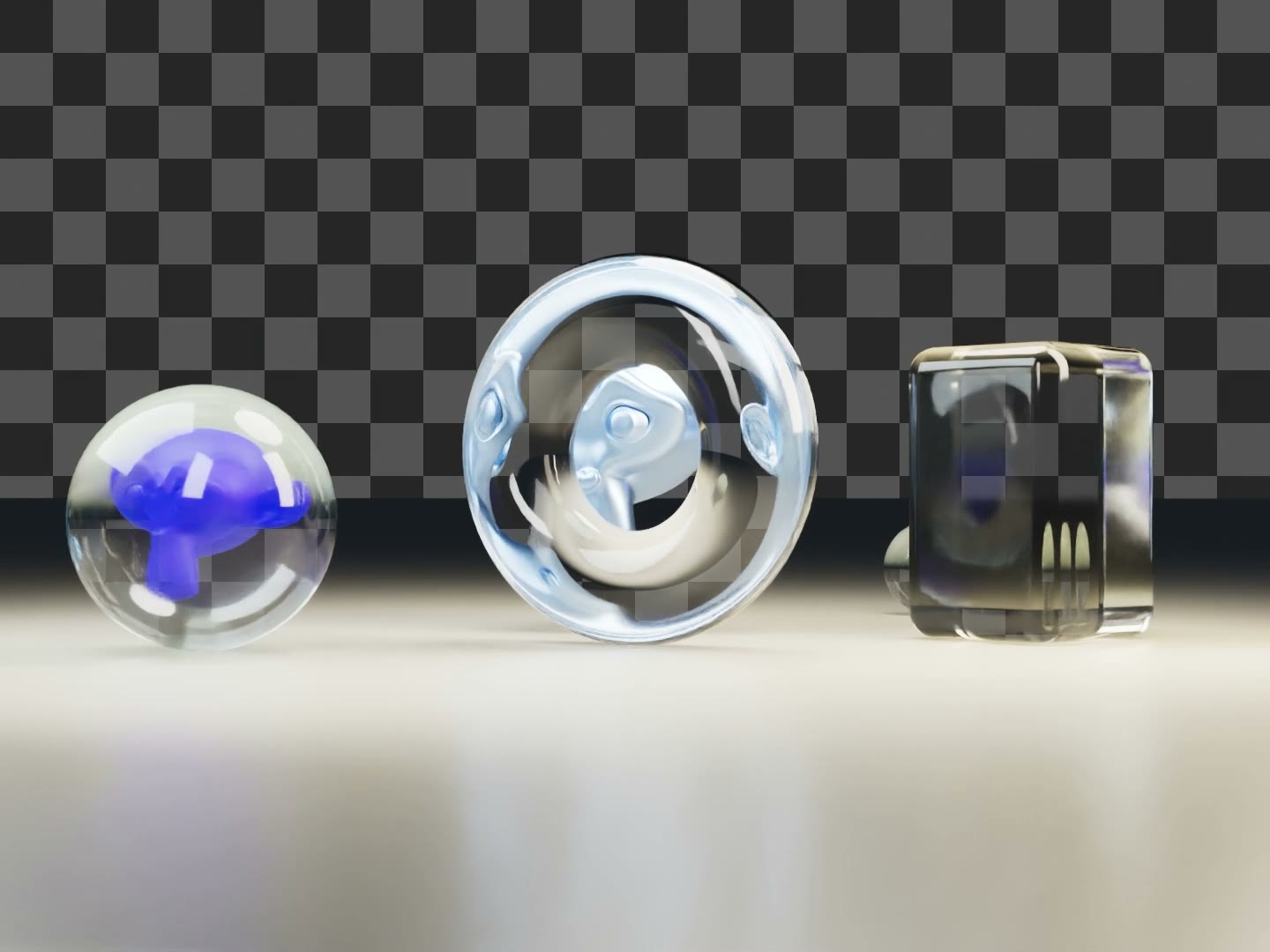
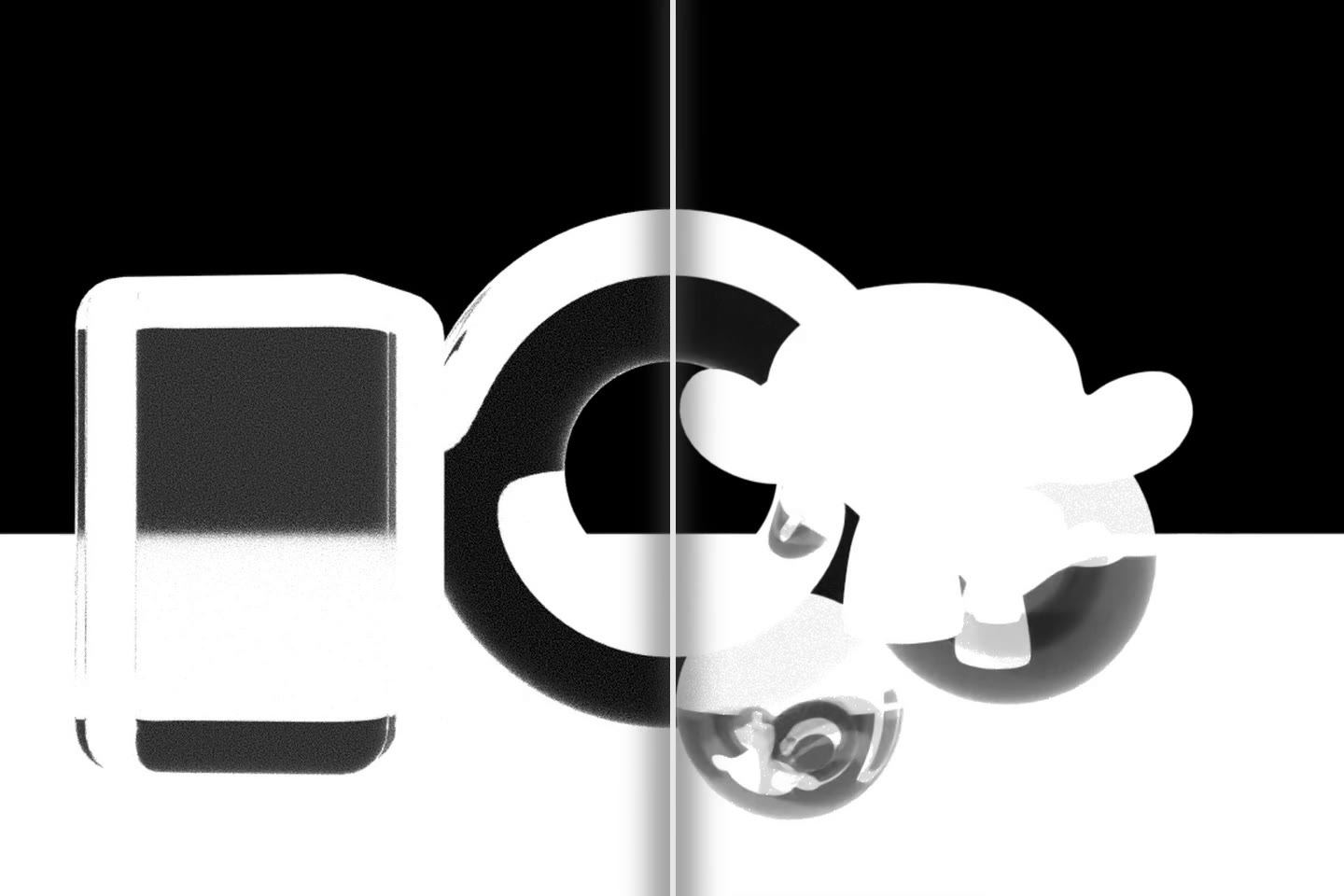
In standard viewport DLSS integrations, the denoiser often outputs a solid Alpha = 1.0 or leaves noisy un-denoised pixels across semi-transparent smoke and anti-aliased edges when Film > Transparent is enabled.
We solved this in two stages inside the final render pipeline:
- Partial-Coverage RGB Preservation (0.050 → 0.022 Smoke Error): On a transparent film background, empty background pixels stay clean while partially transparent smoke, volumes, glass, and defocus edges retain DLSS Ray Reconstruction quality. In 16-sample validation against a 4096-sample reference, semi-transparent smoke RGB error dropped by 56% (0.050 → 0.022).
- Second Synchronized Ray Reconstruction Instance for Alpha (0.080 → 0.006 Temporal Flicker): Spatial filtering on Alpha still jitters in animation. When
Film > Transparentis enabled, turning onDenoise Alpharuns a second synchronized DLSS Ray Reconstruction pass dedicated to the Alpha channel—sharing the exact same motion vectors and history resets as the primary beauty pass. Across 24-frame smoke, hair, and depth-of-field tests, frame-to-frame Alpha flicker dropped by 92.5% (0.080 → 0.006), hair Alpha RMSE dropped from 0.069 → 0.008, and out-of-focus bokeh Alpha error dropped from 0.044 → 0.009.
VDB Smoke Guides & VRAM-Bound Tiling
Two of the hardest stress tests for any low-sample temporal denoiser in Blender Cycles are evolving OpenVDB smoke/fire simulations and 4K / high-poly scenes that exceed GPU VRAM.
1. Volume Motion Guides & OpenVDB Velocity Fields (−17% Error)
In unmodified Cycles, volumetric media (smoke, fire, clouds, heterogeneous fog) do not write surface depth, normals, or internal medium motion into the denoiser guide passes. As a result, temporal denoisers treat billowing smoke as if it were glued to the static background geometry behind it, causing smearing or boiling.
In this build, volumes generate their own depth, normals, and motion vectors. When an OpenVDB volume includes a velocity grid (Object Data Properties > Volume > Render > Velocity), Cycles reads the 3D fluid velocity field and passes it into both the DLSS motion guide and the exported Vector pass, cutting VDB smoke reconstruction error by 17%.
2. Tiled Path Tracing + System-Memory Full-Frame Merge (1.9× Speedup on VRAM-Bound Scenes)
Running independent DLSS Ray Reconstruction on individual render tiles destroys temporal history and creates visible grid seams across tile borders. Conversely, path-tracing a massive 4K scene as a single full-frame buffer can exhaust 16 GB of VRAM and trigger severe driver paging.
Our Tiled Path Tracing mode (Render Properties > Performance > Memory) separates path-tracing memory from neural reconstruction:
- Cycles path-traces images larger than
Tile Sizetile-by-tile to keep peak path-tracing VRAM low. - Completed tiles are assembled into a unified full-frame buffer in system RAM (requiring roughly one frame of pass memory in host RAM).
- Only the required DLSS guide channels are uploaded to the GPU for a single full-frame Ray Reconstruction evaluation.
- On the VRAM-bound
City_1production benchmark (RTX 4080 16 GB), enabling tiled RAM merge cut per-frame render time from 23.1 s to 12.3 s (1.9× faster) with zero tile seams and identical temporal history to an untiled render. (Note: When a scene already fits comfortably in GPU VRAM, leave Tiled Path Tracing off, as untiled rendering avoids the host RAM merge step.)
Standard RR vs. DLSS 5 Beta Edition
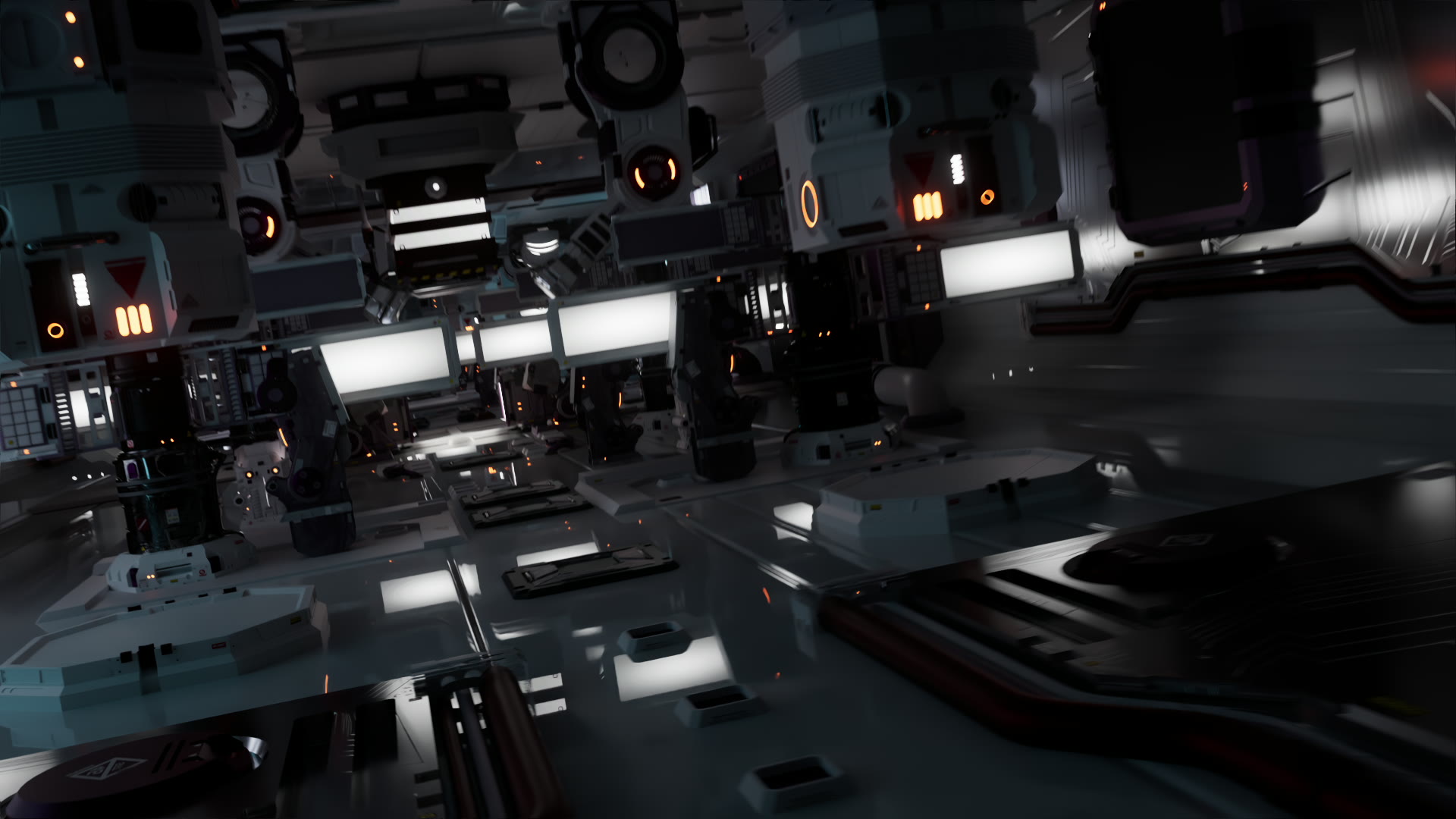
The project is distributed as two separate, self-contained portable Windows x64 builds based on Blender 5.3.0 Alpha so you can pick the exact pipeline behavior your project requires:
| Build Edition | Denoising Mode | Core Pipeline & Visual Behavior | Recommended Use Cases |
|---|---|---|---|
Standard Edition (Cycles DLSS) | DLSS Ray Reconstruction (Native DLAA) | Preserves strict Cycles scene-linear physical lighting, color balance, and material energy conservation. | Production VFX, ArchViz & Commercials: Any pipeline requiring strict physical lighting consistency and multi-pass Nuke/Resolve compositing. |
DLSS 5 Beta Edition (Cycles DLSS 5 Beta) | DLSS RR + Opt-in DLSS 5 NR Beta | Includes all Standard RR features plus an optional DLSS 5 NR Beta neural enhancement pass (Intensity, Local Structure, Local Tone, Style: Standard / Natural / Cinematic) with persistent cross-frame NR history. | Stylized CG, Previz & Ultra-Low-Sample Look-Dev: Adds high-frequency micro-detail enhancement while saving the un-enhanced RR output in the DLSS5 Base EXR pass. |
Known Limitations & Boundaries
Engineering transparency matters more than marketing claims. Before deploying this build on a commercial shot, note the following verified boundaries:
- Only
Combined(and optionalAlpha) are neurally reconstructed: Native individual lighting passes (Diffuse Direct/Indirect,Glossy Direct/Indirect,Transmission) are written to Multilayer OpenEXR as raw Cycles path-traced data and will contain low-sample noise. - Tiled Path Tracing is strictly for VRAM-constrained scenes: When your scene and resolution fit inside GPU VRAM, keep
Tiled Path Tracingdisabled for fastest throughput. - Near-field glossy surfaces & ultra-fine 1-sample hair: While camera-motion flicker on glossy floors is reduced by 28%, highly specular floors very close to a fast-moving camera or fine character hair at 1 sample can still show temporal shimmer. For hero hair/fur shots in animation, use 16 samples (see our Panthera 16-sample hair test on YouTube).
- Hardware & Quick Setup: Requires Windows x64, an NVIDIA RTX GPU (tested on RTX 4080 16 GB), and an up-to-date NVIDIA GPU driver. Distributed as a portable
.ziparchive—extract anywhere, runblender.exe, and enable DLSS in Cycles Render Properties without touching your existing Blender installations.
Frequently Asked Questions
Does Blender 5.3 support DLSS for final F12 renders and animations?
No. Official Blender 5.3 only enables NVIDIA DLSS Ray Reconstruction in the interactive 3D viewport (Sampling > Viewport > Denoise). Final F12 stills and Ctrl+F12 animation renders in official Blender 5.3 still only support OpenImageDenoise (OIDN) and the standard OptiX denoiser. Running DLSS natively in final renders requires a custom Cycles build like Blender Final DLSS Render.
Why use a custom Blender Cycles build instead of a DLSS Render Python add-on?
Python add-ons cannot modify Cycles' compiled path-tracing engine. Add-ons that lock and capture the viewport cannot run a second synchronized Ray Reconstruction pass for transparent Alpha, cannot extract engine-level OpenVDB volume velocity guides, cannot perform tiled path tracing with full-frame RAM merge, and require stitching separate render passes for Multilayer OpenEXR and Cryptomatte. A custom Cycles build runs natively inside F12 with zero scene-export delay and full single-pass OpenEXR output.
Is DLSS Ray Reconstruction faster than OIDN in Blender Cycles animations?
At equal sample counts (such as 32 samples per frame in Agent 327 Barbershop), DLSS Ray Reconstruction and GPU-accelerated OIDN take nearly the same time (1.96 s vs. 1.91 s on an RTX 4080), with DLSS providing superior frame-to-frame temporal stability and sharper specular reflections. The massive speed advantage comes from sample reduction: because DLSS Ray Reconstruction tracks temporal history across frames, a 1-sample DLSS animation (3.04 s/frame) often replaces a 16-sample OIDN animation (8.00 s/frame), delivering a 2.6× speedup.
Does Cycles DLSS support Multilayer OpenEXR, Cryptomatte, and Nuke compositing?
Yes. Because DLSS Ray Reconstruction runs inside Cycles' final render output pipeline, rendering to 16-bit or 32-bit float Multilayer OpenEXR (or Blender Compositor File Output nodes) writes the DLSS-reconstructed Combined pass alongside bit-exact Cryptomatte masks, Depth, Normal, Vector (including volume motion), custom AOVs, and denoised Alpha in a single file ready for Nuke, DaVinci Resolve, or Fusion.
Will running this custom Cycles DLSS build overwrite my existing Blender installation?
No. Blender Final DLSS Render is distributed as a self-contained portable Windows x64 .zip archive. You simply extract it to any folder and run blender.exe directly—no installer, no registry modification, and no interference with your existing official Blender installations or user add-ons.
References
- Test Hardware & Environment: Windows x64 · NVIDIA RTX 4080 16 GB · Latest NVIDIA Driver · Blender 5.3 Cycles Final Render (OptiX & CUDA).
- Blender Official Documentation & DLSS Viewport Integration: Blender.org · NVIDIA DLSS Ray Reconstruction Developer Docs.
- Benchmark Scene Credits (CC BY / CC0): Agent 327 Barbershop — Blender Studio (CC BY); Zero-Day — Mike "BEEPLE" Winkelmann, ORCA conversion by Kai-Hwa Yao & Kate Anderson (CC BY 4.0); Lone Monk (Monastery) — Monorender (CC0); Blender 5.2 Splash — Joanna Kobierska (CC BY).
- Interactive Demos & Video Comparisons: Blender Final DLSS Render Project Page · Lone Monk 1-spp Comparison · Barbershop 32-spp Comparison.